
 TapToConnect
Scheduling your first post
From account to scheduled post in five minutes.
▶Watch the video: getting startedWith captions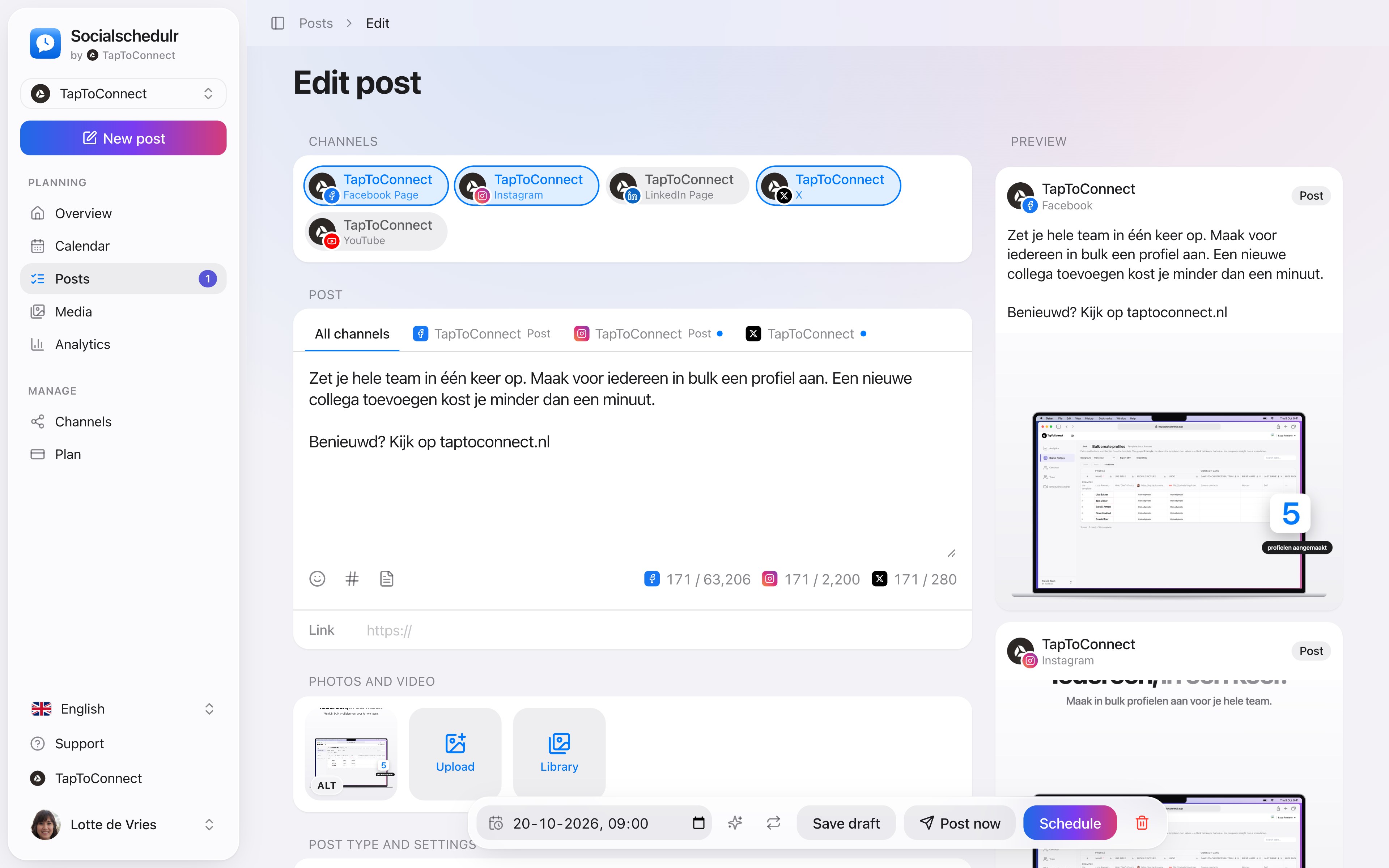
- Connect a channel. Go to Channels and under Add channel click Facebook, Instagram or LinkedIn. Read how to connect a channel.
- Click New post. That button is at the top of the sidebar.
- Choose your channels. Click the channels where the post should appear. A selected channel turns blue.
- Write your text and add a link or photos if you like. On the right you see a preview per channel.
- Choose a date and time in the bar at the bottom and click Schedule.
Your post is now in the Calendar. At the chosen moment Socialschedulr publishes it automatically.
Other options
- Post now: the post goes live immediately.
- Save draft: the post is saved but not scheduled. You can finish it later via Posts → Drafts.
Still stuck? Email us at info@taptoconnect.nl. A real person reads it and helps you out.