
 TapToConnect
Inviting team members
Work on posts together with colleagues.
▶Watch the video: team and approvalWith captions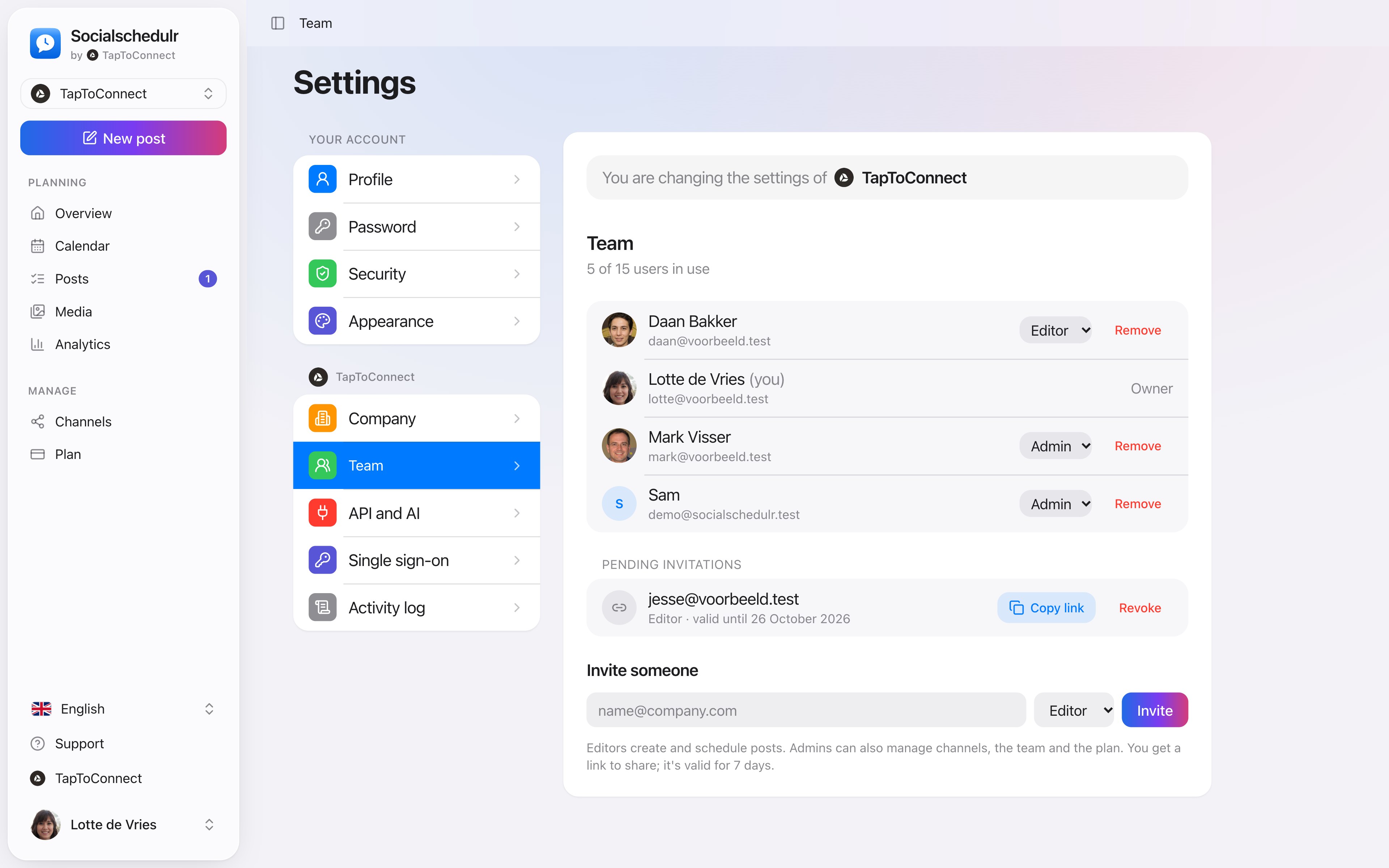
- Go to Settings → Team.
- Under Invite someone, enter the email address and choose a role.
- Click Invite and copy the link that appears.
- Send that link to your colleague. They create an account (or log in) and are then part of your team.
The link is valid for 7 days. Under Pending invitations you can copy it again or revoke it.
Roles
| Role | What can they do? |
|---|---|
| Owner | Everything, including cancelling the plan. There is one owner. |
| Admin | Manage posts, channels, team and plan, and approve posts. |
| Editor | Create and schedule posts. No channels, team or plan. |
How many people you can add depends on your plan. Pending invitations count too.
Still stuck? Email us at info@taptoconnect.nl. A real person reads it and helps you out.