
 TapToConnect
Sharing your schedule with clients
One link your client uses to see the whole schedule and approve posts.
▶Watch the video: team and approvalWith captionsWorking for a client or for your manager? Share your schedule with one link. No login needed.
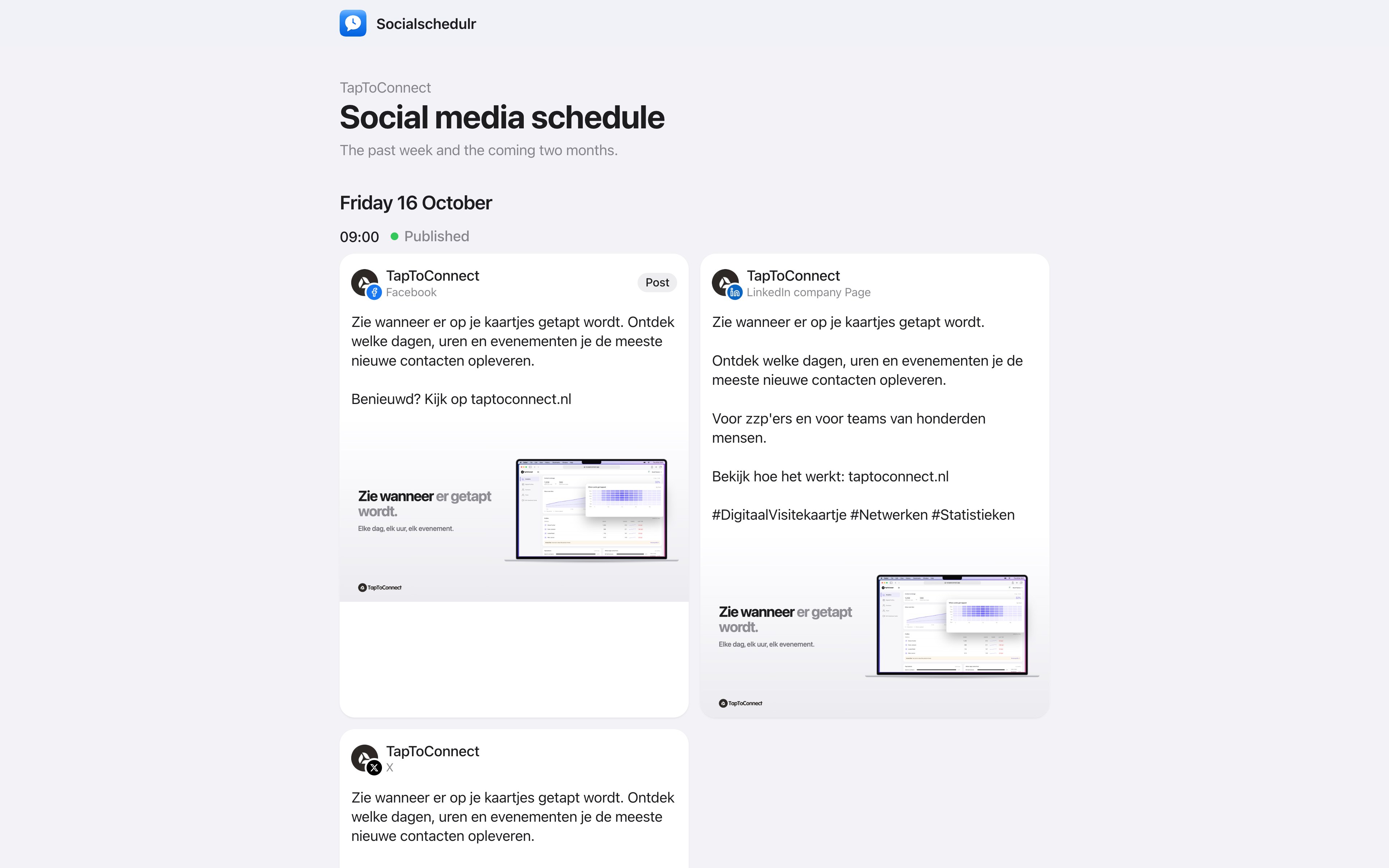
- Go to Calendar and click the share icon at the top right.
- Turn on Share link.
- Click Copy link and send it to your client.
Your client sees the posts of the past week and the coming two months, with a preview per channel and your notes. Posts waiting for approval have a Review button: there your client can approve or reject the post with a comment. Read more in Having posts approved.
Drafts aren't visible through the link.
Stop sharing
Click the share icon and choose Stop sharing. The link stops working immediately. If you turn sharing on again later, you get a new link.
Only owners and admins can share the schedule.
Still stuck? Email us at info@taptoconnect.nl. A real person reads it and helps you out.